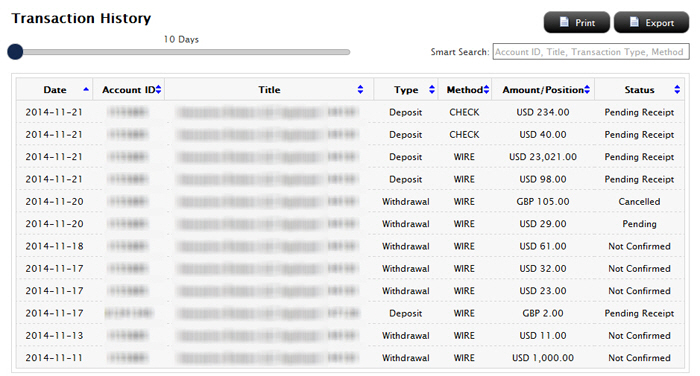
You can check the status of any fund transaction for the Master account or any sub account within the last 90 days at any time on the Transaction History page in the Funding menu of Account Management. Sub accounts can view the transaction history for their own accounts if they were granted access rights to Transaction History when their accounts were added.
The Transaction History page shows all cash transactions, position transfers, bank instructions and internal transfers initiated in the last 10 - 90 days. Use the slider to select the time period, and then use the Smart Search to search by Account ID, Title, (transaction) Type or (transaction) Method; or resort the list of transactions by clicking any column heading.
You can also check the cash balance of for your account at any time on the Fund Transfers page in the Funding menu of Account Management. The page displays the Cash Balance, Cash Available for Withdrawal, Withdrawable cash that is subject to any origination restrictions (including ACH deposits initiated by the customer via the IB website) and the amount of any pending deposit that has not yet posted to the account.