You are here: Configuration > Add Users to the Master Account
Add Users to the Master Account
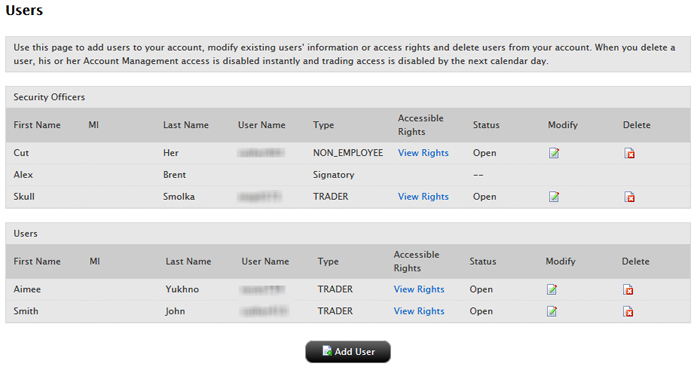
You can add users to your account and grant them access to a set of Account Management functions such as trading access for additional traders, reporting access for auditors, and so on. Adding users to the Master account is not the same as adding sub accounts. Sub accounts typically represent the traders in your Separate Trading Limit account who have their own separate market data subscriptions, while users added to the Master account can be traders or can represent administrative functions in your organization.
If you designated an additional person or persons as a Security Officer in your account application, then the Security Officer will be the person who adds users to your account. For more information on Security Officers, see our User Access Rights Guide.
On the Add User page, enter all required information, including name, six-character username prefix, password, and email address.
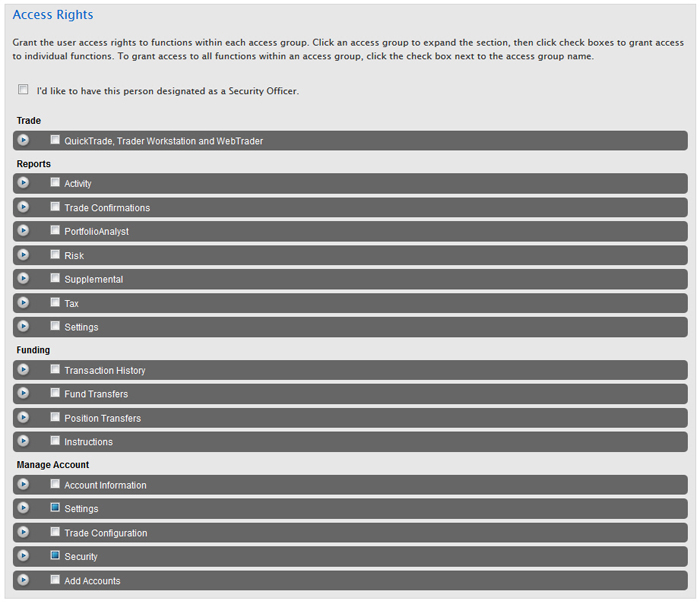
On the same page, assign Account Management functions to the user by clicking the appropriate check boxes in the Access Rights section. Access groups correspond to Account Management menus.
To designate the user as a Security Officer, click the I'd like to have this person designated as a Security Officer. check box.
Click an access group to expand the section, then click check boxes to grant access to individual functions.
Note that all account users automatically get rights to Security functions (Change Password, Security Device, Security Device Sharing and Voting Subscriptions), which are located in the Manage Account > Security group, and the functions in the Manage Account > Settings access group (Change Email Address).
To grant access to all functions within an access group, click the check box next to the access group name. If a function is not checked, the user will not be able to access the function in Account Management.
Some functions, such as Funding withdrawals and internal fund transfers, allow you or your account’s Security Officer to designate users as Primary or Secondary Authorizers. This feature lets you add a layer of security that requires additional authorization to perform some Account Management functions, such as funding. See our User Access Rights Guide for more information.
On the same page, you can assign access rights to some or all sub accounts that you want the user to access, and specify which functions you want the user to be able to access for the sub accounts.
Highlight one or more individual sub accounts in the list (Ctrl+ click to select multiple non-adjacent accounts in the list; Shift+click to select multiple adjacent accounts in the list). Click the All Sub/Client Accounts check box to select ALL accounts.
Click the check box for each function you want the user to be able to access for the selected account(s).
Click Continue.
Verify that all the information is correct, then click Continue.
If you need to make further changes, click Back, then make corrections before submitting.
Enter the confirmation number sent to you via email, then click Continue. If you have not received a confirmation number, click Request Confirm #to have a confirmation number sent to your email address on record.
Click Cancel to cancel your changes.
Once the user has been successfully created, in order to complete the process, the new user will be required to complete additional verification steps, by logging into Account Management with the username and password which were created.
For more information
For details about Security Officers, see the Security Officers topic in the User Access Rights Guide.